AI-Generated Design Systems: Building a Token-Driven Multi-Brand Architecture
This experiment explores how generative AI can accelerate design system development by automating token extraction, documentation, and component generation. Using Figma MCP and Claude Code, I built a token-driven multi-brand architecture capable of switching brand expressions using a single attribute. The prototype demonstrates how AI can reduce documentation overhead while maintaining a scalable design infrastructure.
When Sub-Brands Don't Share A System
The experiment started with a real problem: three distinct brand expressions sharing no design infrastructure. Each brand had its own visual language, typography, and color personality — but no shared token architecture to connect them. Designers hardcoded values, developers hardcoded colors, and every refresh meant manual find-and-replace across every file, codebase, and platform.
The question: could AI help reconstruct and scale a design system faster than building it by hand?
Brand 1
Clean American minimalism — Navy, Helvetica Neue, 2px sharp corners
Brand 2
Sophisticated refinement — Warm brown, Canela serif, zero border radius
Brand 3
Performance empowerment — Deep green, Nunito, soft 8px rounded edges
Designers Hardcode Values → Developers Hardcode Colors → Brand Refresh → Manual Find-And-Replace Across Every File, Every Codebase, Every Platform
Brands Share Structure, Not Values
The architecture separates what things are (primitive values) from what they mean (semantic tokens) from how they're used (components). Brands share the structure — they own the values.
How It Actually Works
The workflow chains Figma as the single source of truth through an MCP server into Claude Code. Tokens are extracted as structured JSON, then auto-generated into a three-layer CSS system. Components are built once — consuming CSS variables, never raw values.
data-brand attribute.Same Architecture. Three Brand Expressions.
Three components built as proof-of-concept — token-wired from Figma JSON, zero hardcoded values. The test: one component structure, three brand voices, switched by a single data-brand attribute. Live demos below, each loading directly from production.
Design → Developer Handoff
What to share so the workflow is actually useful in production
- Share tokens as JSON — framework-agnostic and durable
- Document the component API: props, variants, states
- Host prototypes as inspectable visual reference
- Note font licenses and asset dependencies
- Expecting devs to copy-paste HTML into React or Swift
- Sharing Tailwind classes as "the spec" — share values
- Skipping "reference only" labels on prototypes
- Omitting interaction states: hover, focus, disabled
The Time Impact
Documentation time is the clearest measure of this experiment's value — the unglamorous but business-critical work of speccing components for engineering handoff.
How This Applies to Real Work
Two areas where AI creates the most leverage in design systems work.
Instead of designers manually building every component from scratch, AI acts as a rapid scaffolding tool — generating layout, token wiring, and responsive variants in seconds.
Documentation is usually the most time-consuming part of design systems. AI generates comprehensive docs by reading the component code directly — always accurate, always in sync.
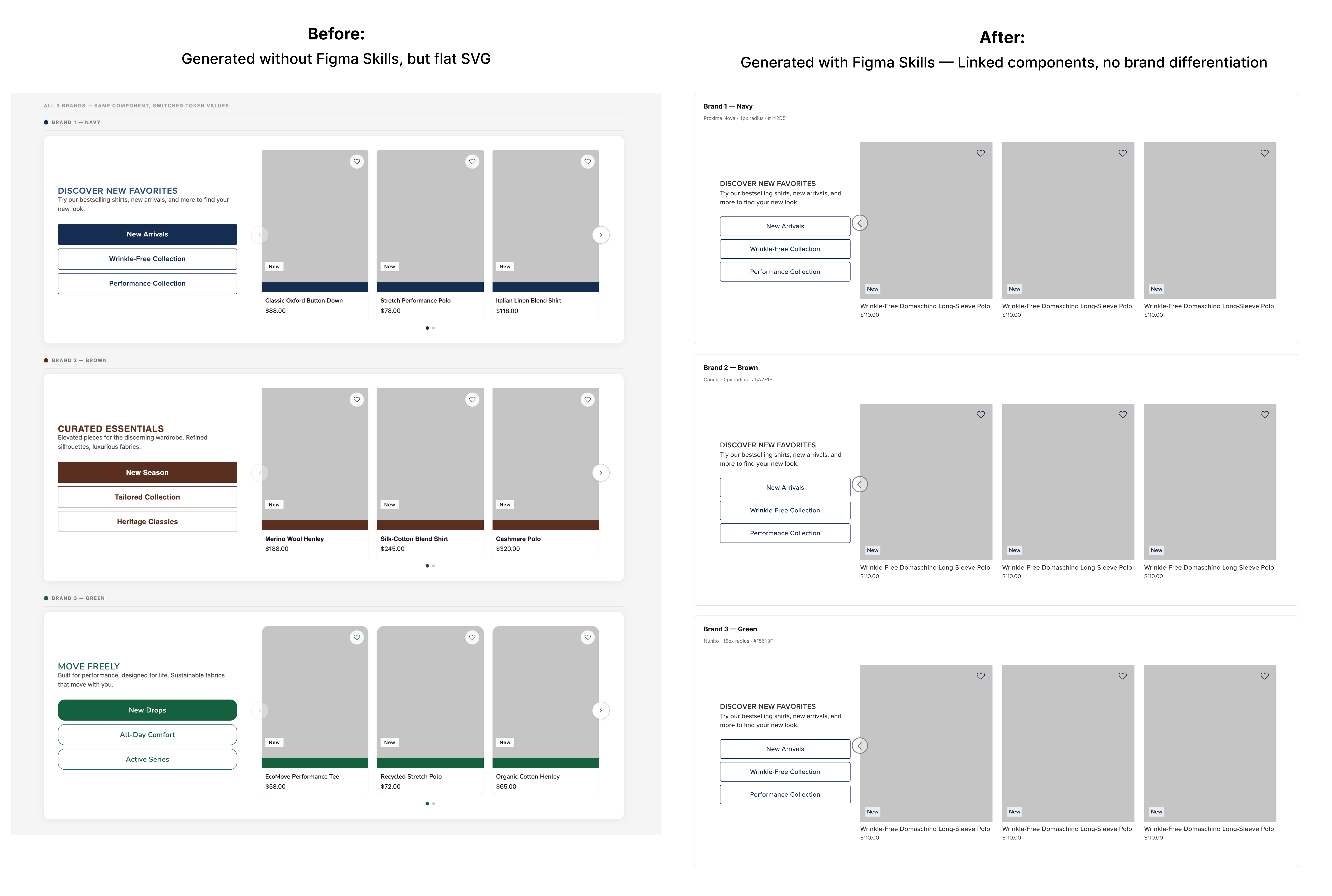
AI can generate visual documentation quickly, but the current toolchain still lacks full system integration. Through testing and research, I found that documentation is typically generated as SVG visuals rather than linked components. The visuals are accurate but not connected to the design system. As design tools evolve, documentation will likely become automatically synced with components and tokens.
Revisiting the Limitation: Figma's Skill Update
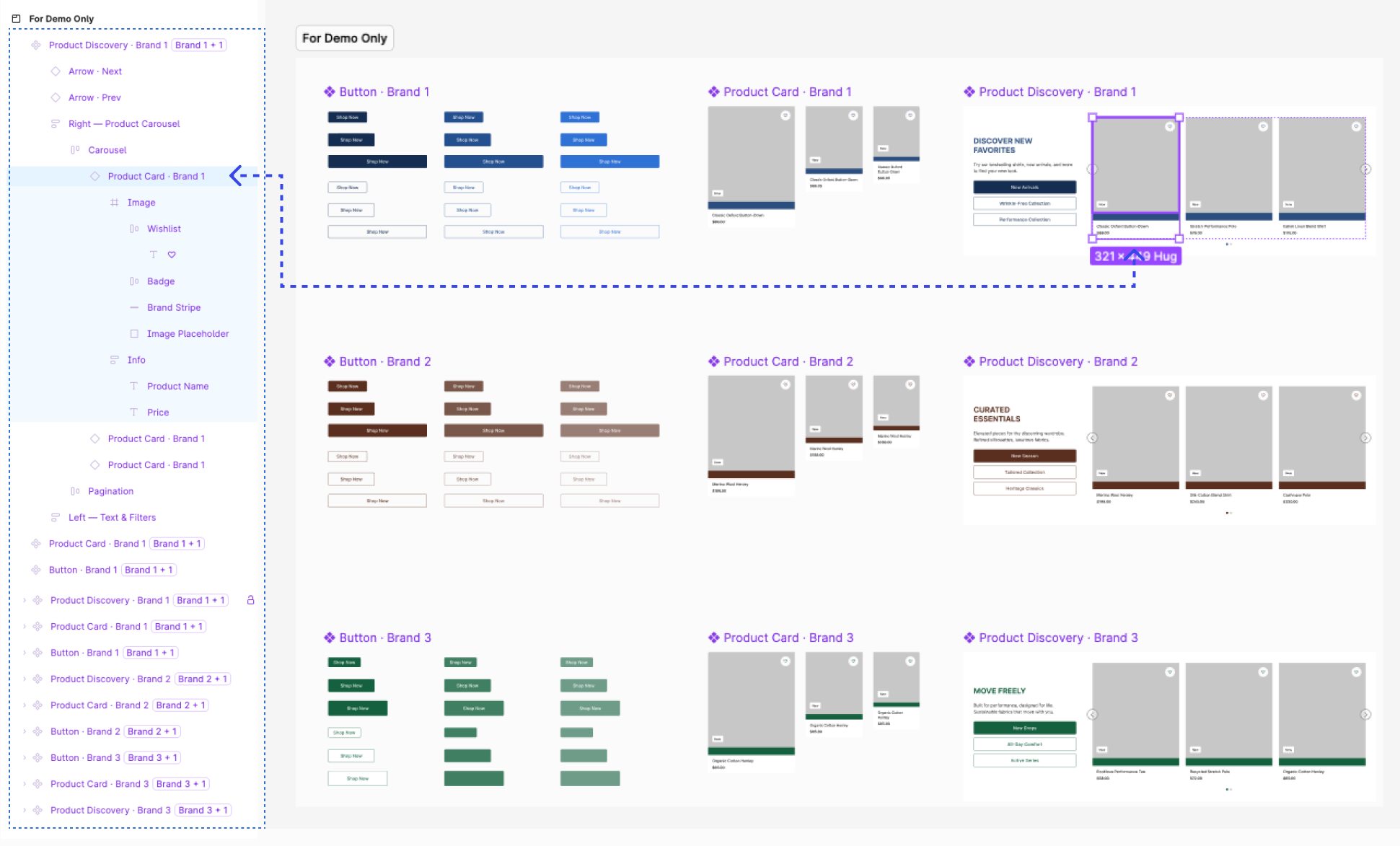
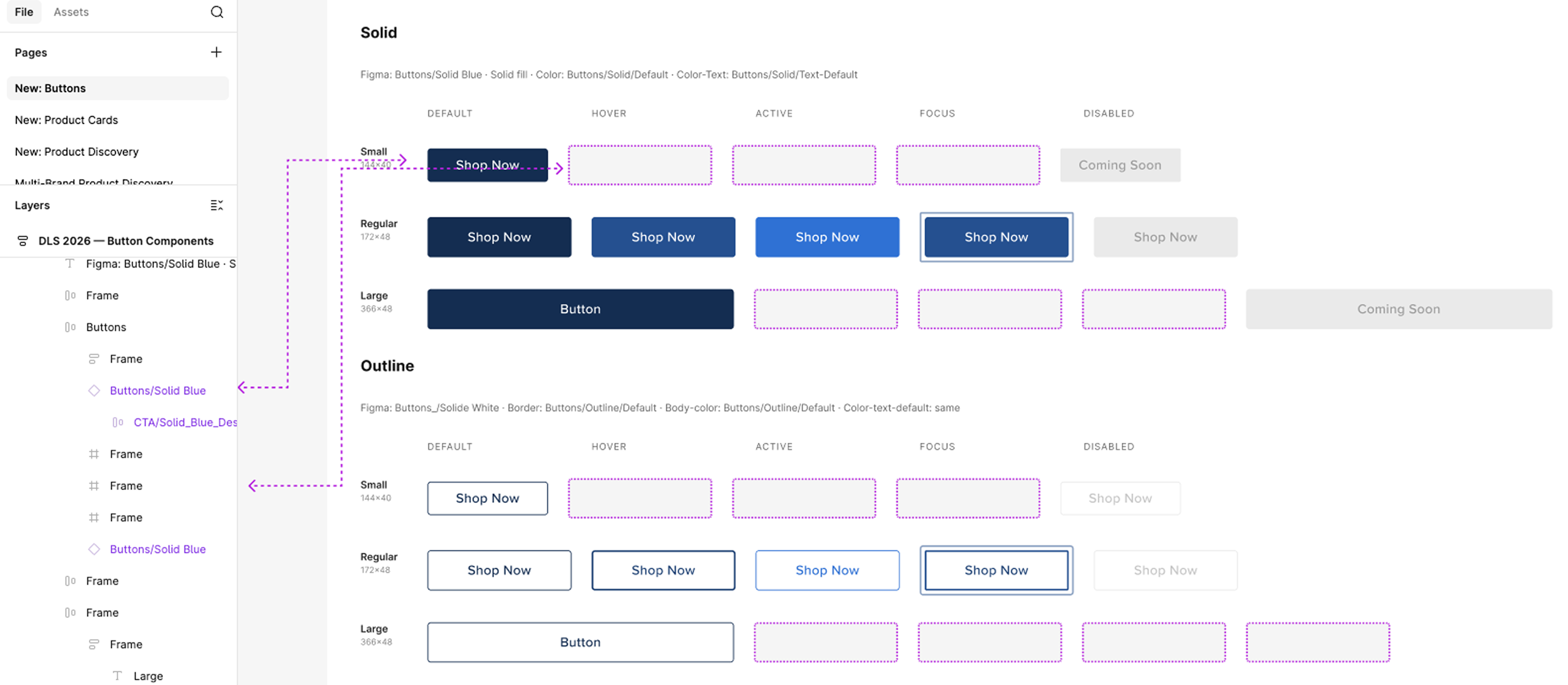
On 3/24/26, Figma launched new MCP skills that let AI write directly to Figma files — creating linked component instances, binding design tokens, and setting variable modes. I re-ran the same documentation workflow to test whether the original limitation still holds. The result: ~80% of components are now properly linked to the design system, but button variant accuracy and sub-brand styling still require designer refinement.
What Building Live Revealed
After running a live build session — generating Buttons, Product Cards, and Product Discovery modules across three brands in Figma using Claude Code + MCP — a clearer rule emerged. For AI to send components back to Figma as properly synced, linked structures, two things need to be in place first: a well-structured token layer with both primitive and semantic variables defined, and all foundational components built before anything complex is composed on top of them. Without those, Claude falls back to flat SVG. With them, it can compose full multi-brand modules with proper token bindings and variable mode overrides — no designer intervention needed.